Fix Chinese Punctuation (?!) Display Issues in Ghostty Terminal with Fira Code Font
Why This Happens
Fira Code is a pure programming font with no Chinese glyphs. When the terminal needs to render Chinese full-width punctuation (?!() in U+FF00–FFEF, 。 in U+3000–303F), Ghostty has to fall back to the system CJK font. On macOS, the default fallback is PingFang, but this fallback font does not scale with the primary font — it can also cause baseline shifts and inconsistent stroke weights on the same line. This is a known font fallback behavior in Ghostty on macOS, which is why the punctuation looks oversized and odd.
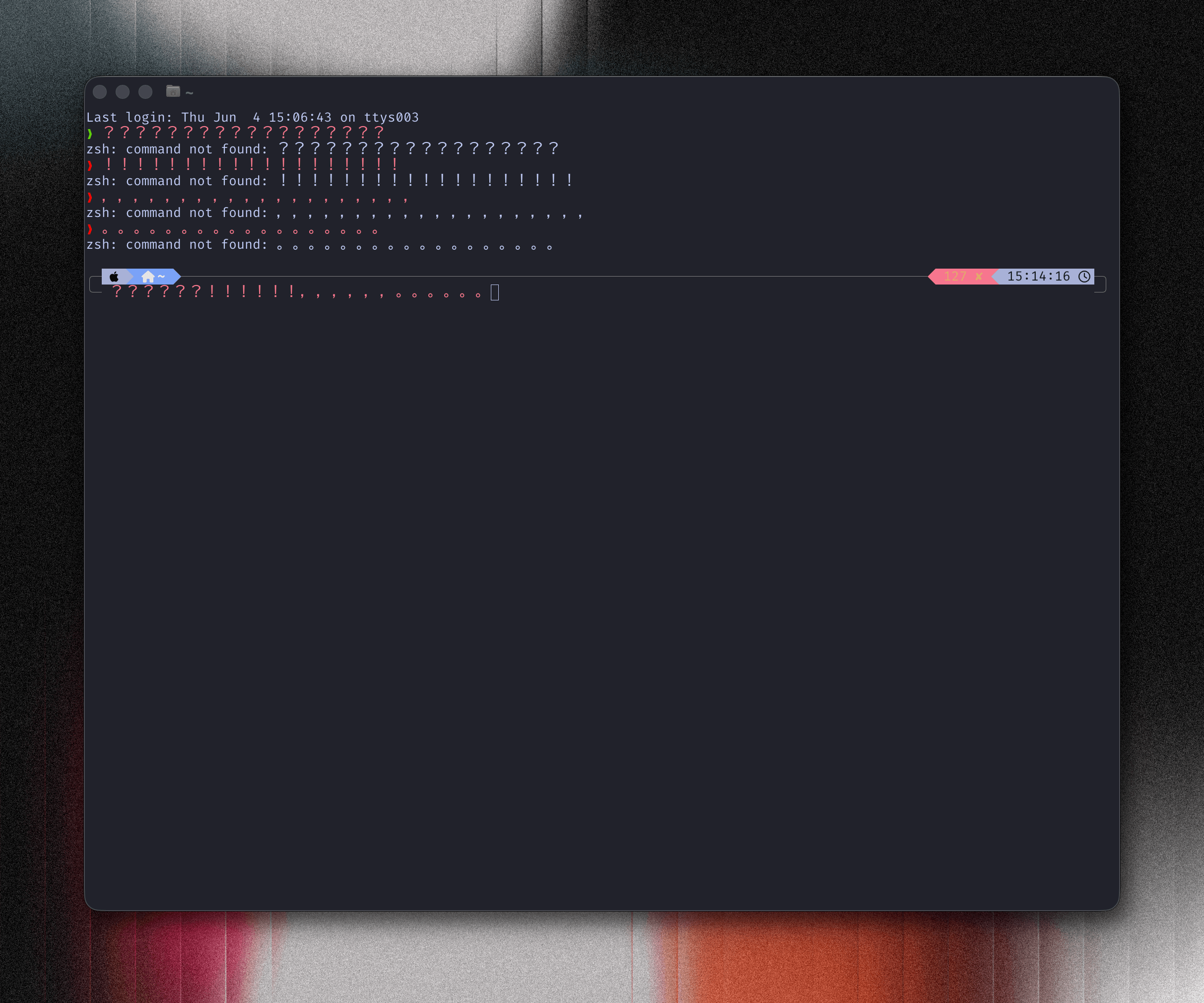
Solution
Open the Ghostty config file via Ghostty > Settings... or the shortcut ⌘ + ,, then add a second font-family line after Fira Code to set PingFang as the overall fallback font.
font-family = Fira Codefont-family = PingFang SC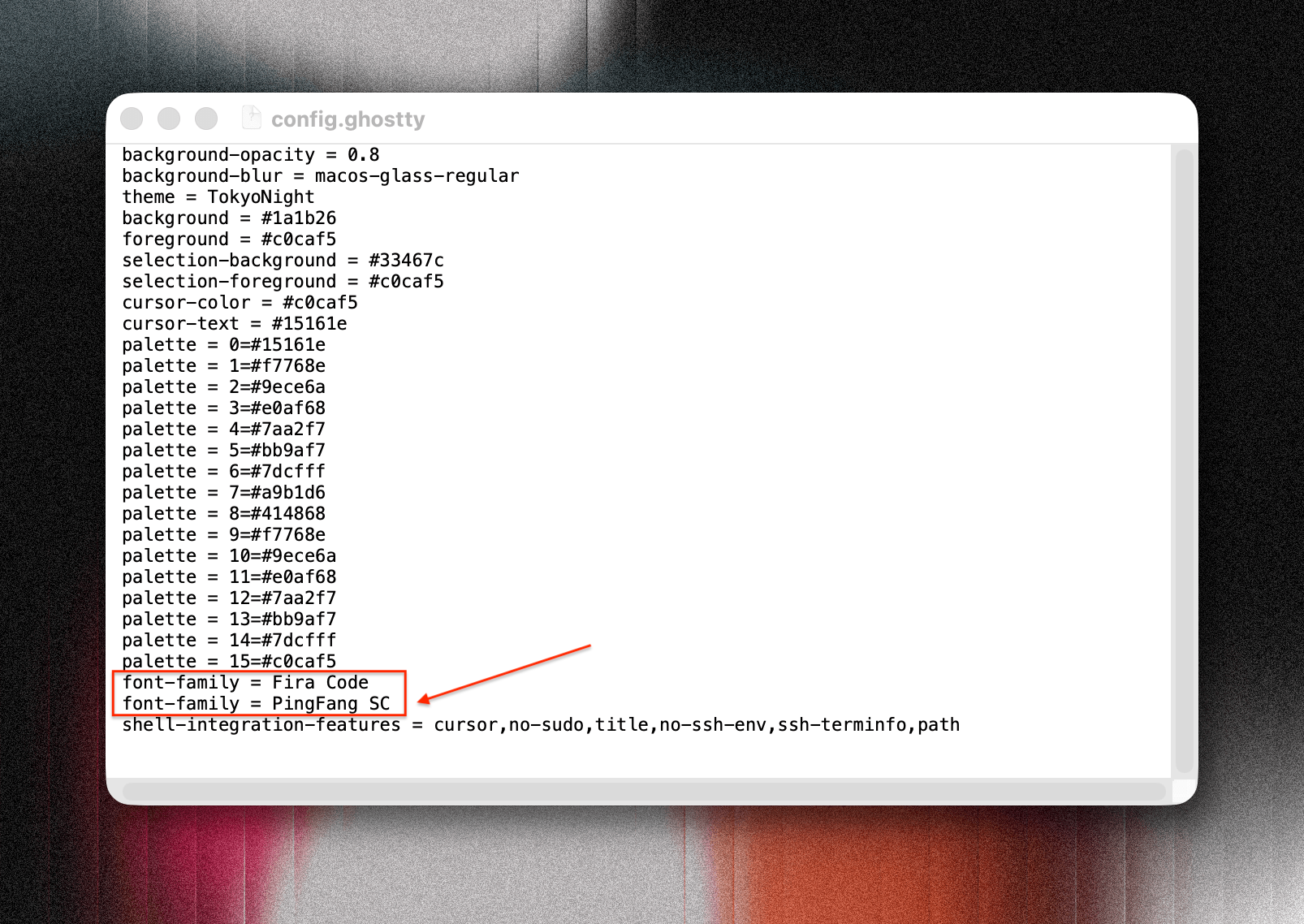
font-family accepts multiple lines. The first line is the primary font; subsequent lines act as fallbacks. Any glyph that Fira Code doesn’t have — Chinese punctuation, Chinese characters, full-width symbols — will be handed off to PingFang, resulting in consistent rendering.
Reload the config via Ghostty > Reload Configuration or the shortcut ⇧ + ⌘ + ,.
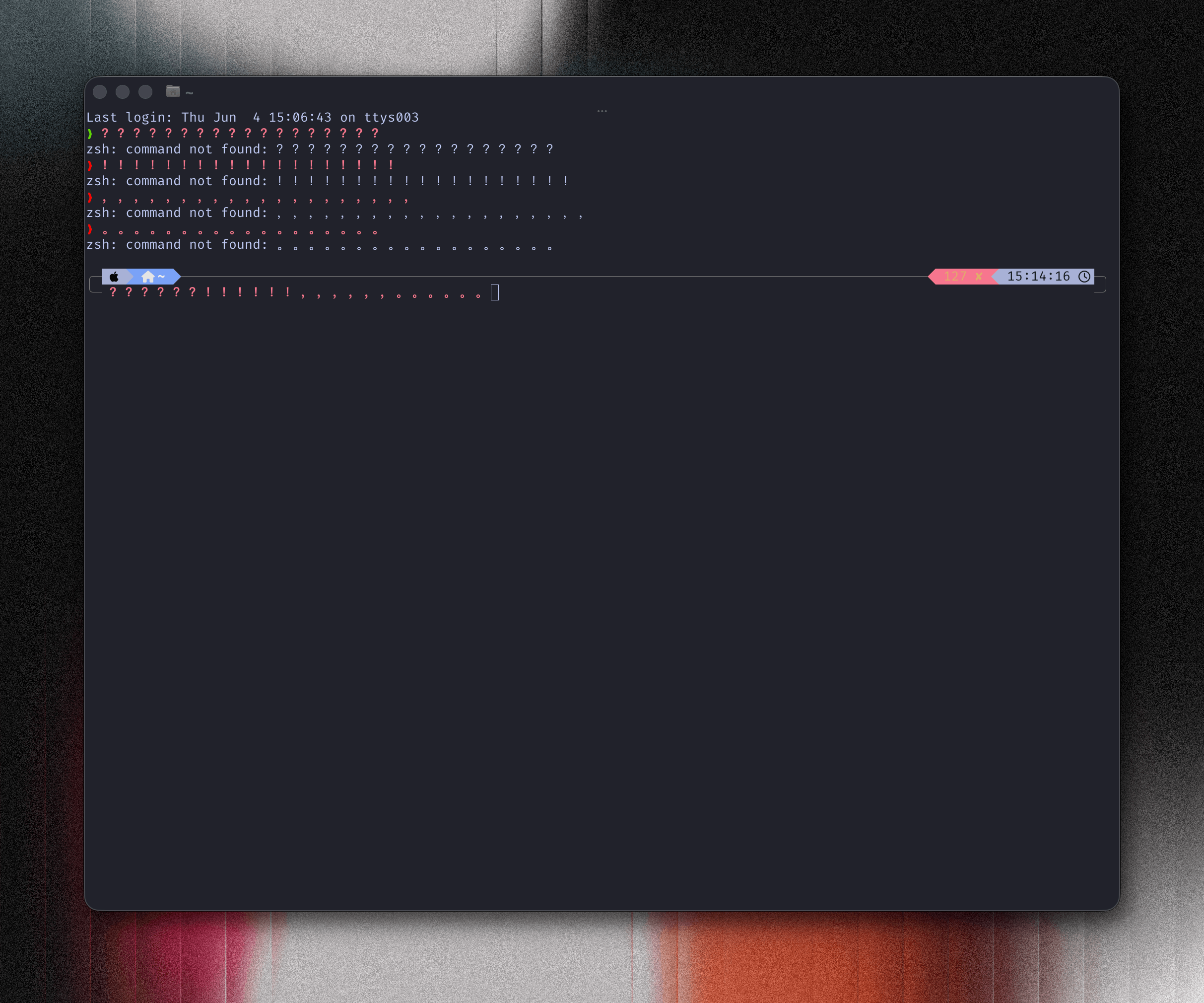
The config file is typically at ~/.config/ghostty/config (on macOS it may also be at ~/Library/Application Support/com.mitchellh.ghostty/config).