Linux KDE Plasma6 Wayland Mouse Gesture Software InputActions - Easystroke Alternative
Today I updated to KDE Plasma 6.4.0, which fixed many minor issues. The scaling issue for Linux WeChat under Wayland no longer requires manually setting environment variables.
Taking this opportunity, I tested some software compatibility. I remembered the long-missing mouse gesture tool Easystroke. Since Easystroke doesn’t support Wayland, continuing to rely on X11 isn’t a long-term solution. So I explored alternatives again and finally found InputActions — as of 2025-06-21, the only mouse gesture tool I’ve found that works smoothly on KDE Plasma 6 (Wayland).
Although it can’t perfectly replace Easystroke, common operations like “close window” and “forward/back” can be achieved by mapping gestures to keyboard shortcuts, meeting daily needs.
System Information
Operating System: EndeavourOSKDE Plasma Version: 6.4.0KDE Frameworks Version: 6.15.0Qt Version: 6.9.1Kernel Version: 6.15.2-zen1-1-zen (64-bit)Graphics Platform: WaylandInstallation and Usage
Install according to the project documentation. Only supports Plasma 6 Wayland environment, supports mainstream distros like arch, debian, fedora.
I’m on EndeavourOS which is arch-based, so following the arch installation method. First install build dependencies:
Dependencies
sudo pacman -S --needed base-devel git extra-cmake-modules qt6-tools kwin yaml-cpp libevdevBuild
git clone https://github.com/taj-ny/InputActionscd InputActionsmkdir buildcd buildcmake ../ -DCMAKE_INSTALL_PREFIX=/usrmakesudo make installUsage
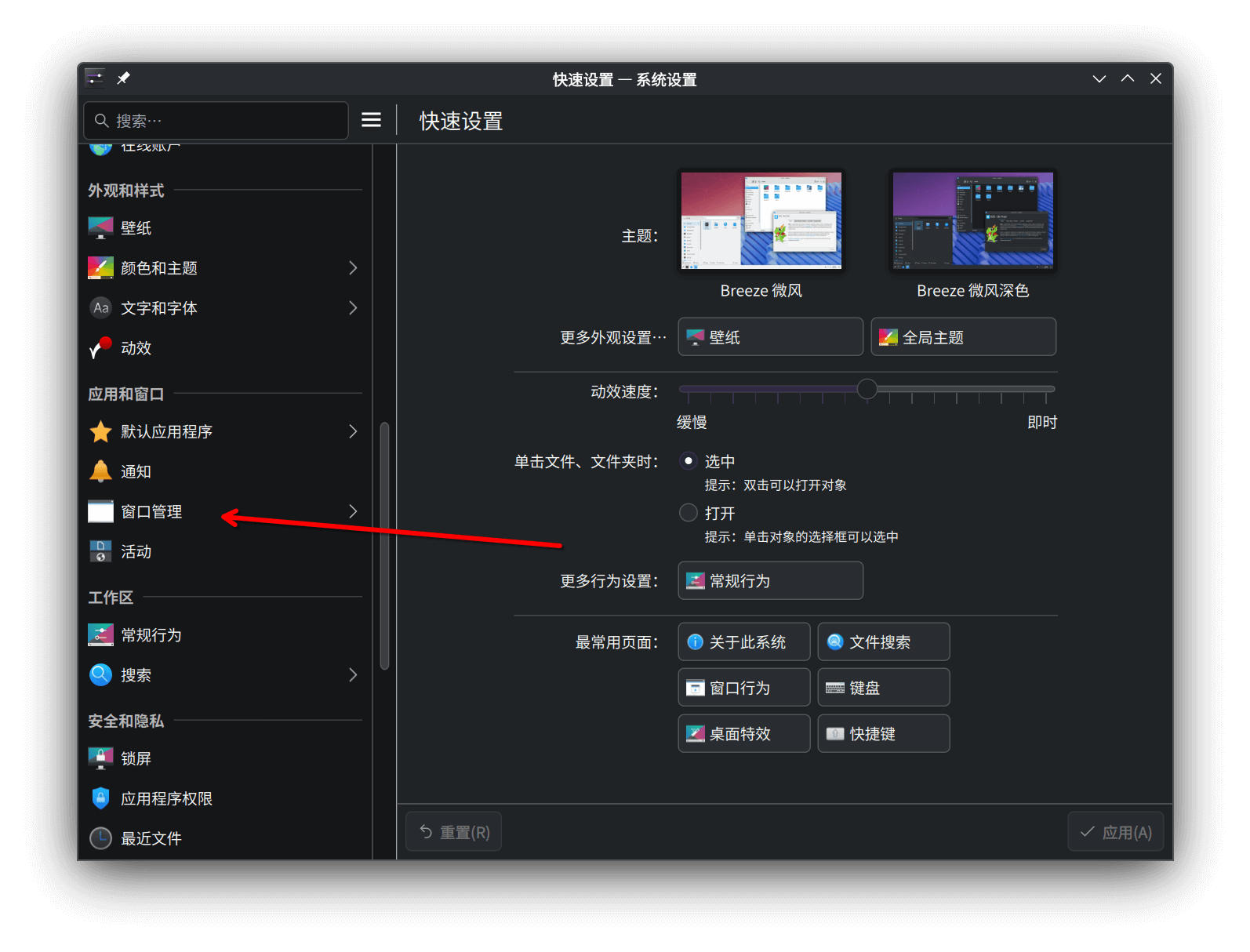
- Open “System Settings” > “Window Management” > “Desktop Effects”, scroll to the bottom, check “Input Actions”.
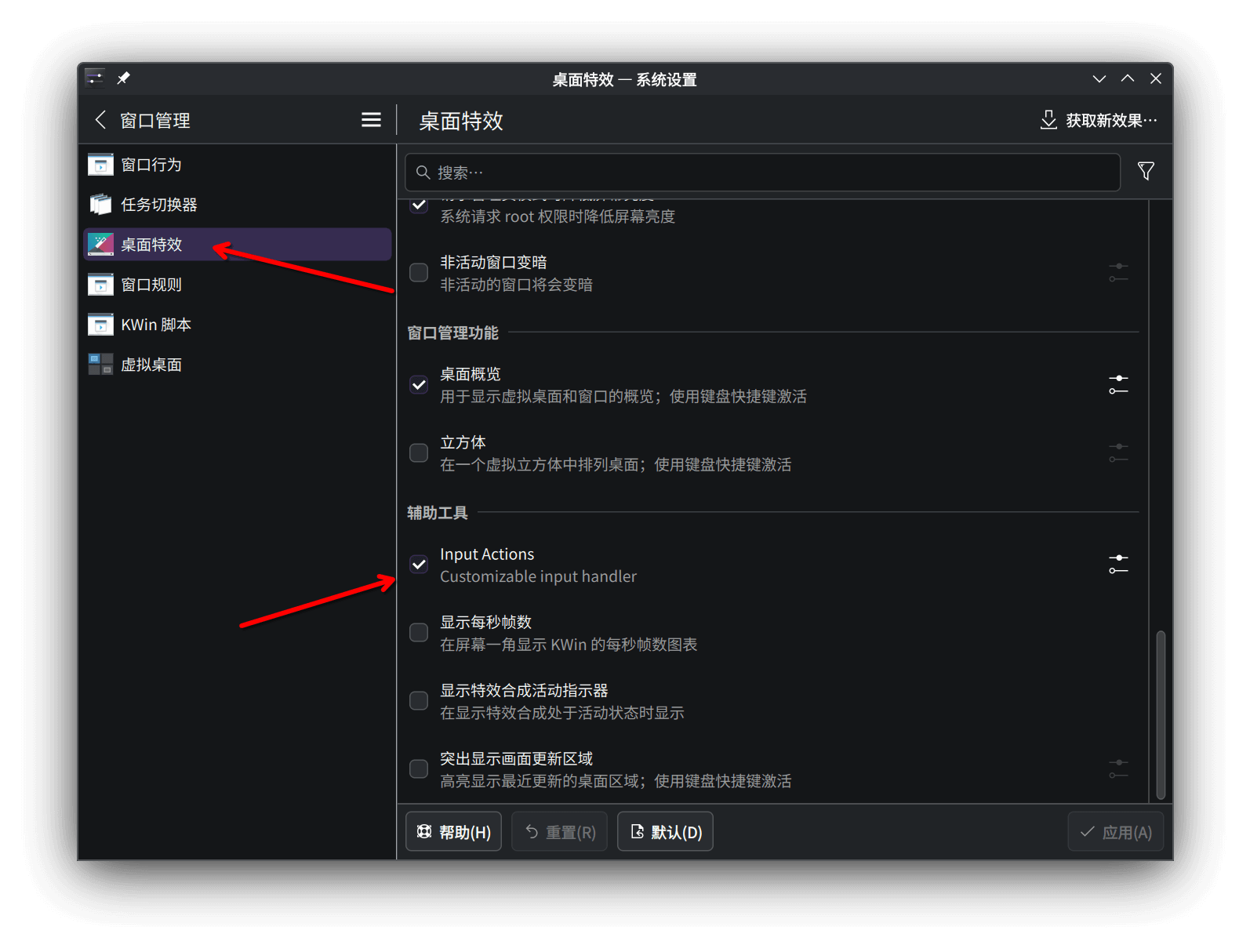
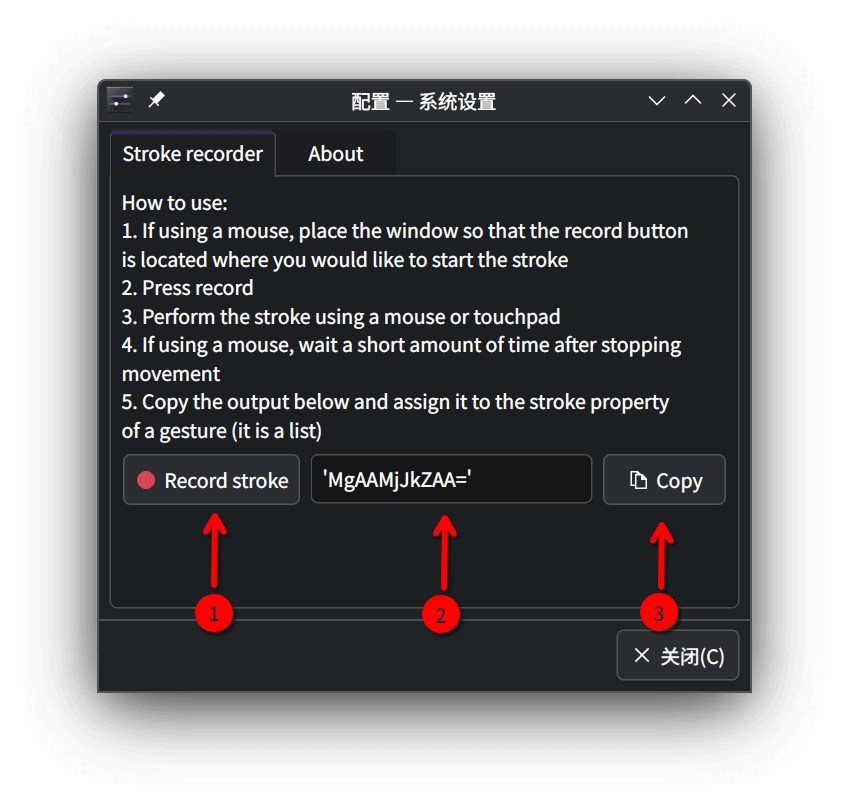
- Click the configure icon to the right of “Input Actions” to open the detailed configuration interface. Click ① “Record stroke” button, then move your mouse to record the gesture trajectory (yes, just move the mouse - no trajectory is displayed and you don’t need to press left or right button, I’ve already stepped in this trap 😂). After recording, click ③ “copy” to copy the recorded trajectory at ② to clipboard.
- Create a configuration file combining your recorded gestures.
sudo nano /home/user/.config/kwingestures.yml# Note: replace 'user' with your usernamemouse: gestures: - type: stroke mouse_buttons: [ right ]
conditions: - $window_class contains chrome # Specify gesture only works in chrome window
gestures:
- strokes: [ 'AAkAMQBaLP9kVmQA' ] # Replace content in [ ] with your recorded gesture trajectory
actions: - on: end input: - keyboard: [ LEFTCTRL+W ] # Replace content in [ ] with the shortcut for the gesture
- strokes: [ 'ZDEAYwAyZAA=' ] actions: - on: end input: - keyboard: [ LEFTALT+LEFT ]
- strokes: [ 'AC8AAWQ0ZAA=' ] actions: - on: end input: - keyboard: [ LEFTALT+RIGHT ]After saving, you need to log out or restart for changes to take effect. After rewriting the config file, mouse gestures may stop working.
References
https://discuss.kde.org/t/available-until-the-end-of-2024-mouse-gestures-support-on-plasma-6-wayland
https://github.com/InputActions/docs/blob/cf320a16a836e267191f8bd9ccbb36450b3b6eb2/configuration.md