Modify Kubuntu 22.10 Boot EFI Wait Time (Also Applies to Ubuntu / Dual Boot Selection Time)
- Modify grub file
$ sudo nano /boot/grub/grub.cfgModify set timeout=30 (30 is the wait time) in /boot/grub/grub.cfg file to your desired time. This file contains multiple set timeout fields, please choose carefully.
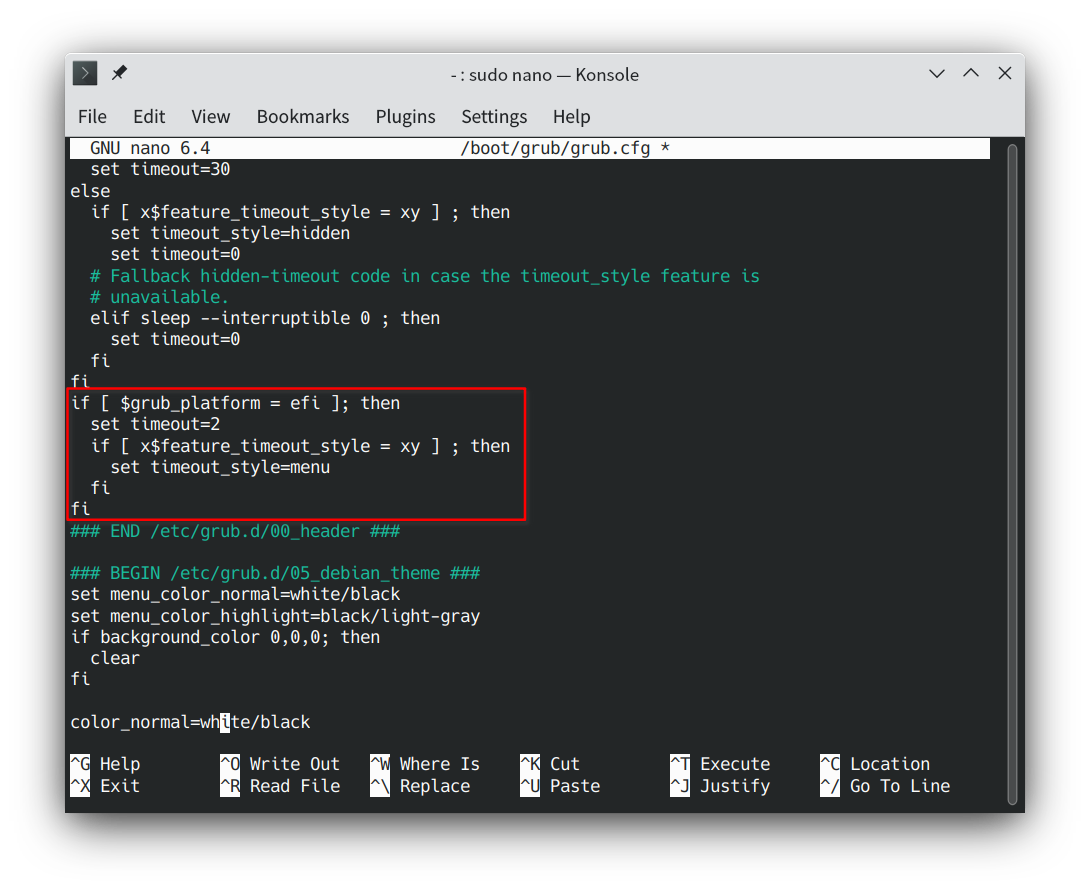
- After modification, save and exit (Ctrl+x, y)