Logitech MX Anywhere 2S Mouse Broken, Mouse Button Double Click, Single Click Becomes Double Click Solution Without Replacing Micro Switch
My mouse broke again these days. Looking for backup mouse in my laptop bag, I found 3 of them. Over the years I don’t know how many mice I’ve broken, I once suspected if I was a “mouse killer”. No matter what brand, high-end or low-end, all have the same problem - either mouse left button double clicking, or mouse right button double clicking, single click becomes double click. So I started searching online for the cause, and found there are really too many similar problems. Most say to replace the micro switch, and it seems that’s indeed the issue. Because I don’t have a soldering iron at home, and during Spring Festival logistics can’t deliver next day, the micro switch replacement plan couldn’t be implemented. Reading articles about replacing micro switches online, they all say micro switches can be clicked tens of millions of times. I think I haven’t reached that many times yet, so as a last resort, I adopted a Zhihu user’s reply solution - thickening the connection point at the mouse micro switch connection. Original link: Universal Revival Tutorial for Mouse Button Failure, Works Every Time, Truly Zero Cost
Since I didn’t take photos during the repair process, I’ll post a few images from the original article. Make sure to check if symptoms match. My mouse symptoms are:
- Mouse left and right buttons double clicking, single click becomes double click;
- Hold the mouse, gently lift n times (based on no rebound sound), mouse double clicks in this scenario;
- After disassembling mouse, pressing micro switch can produce crisp sound.
After putting 2 layers of transparent tape on left button, 1 layer on right button, solved the single click becoming double click problem. There seems to be a tiny flaw - mouse button travel distance shortened, but doesn’t affect much.
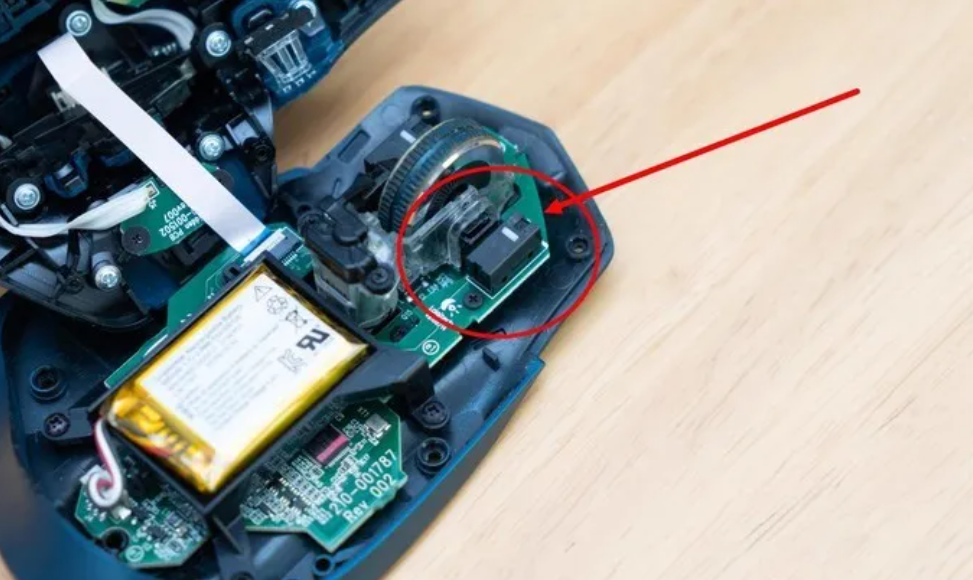
First press the micro switch to see if it can produce crisp sound, otherwise this method doesn’t apply.
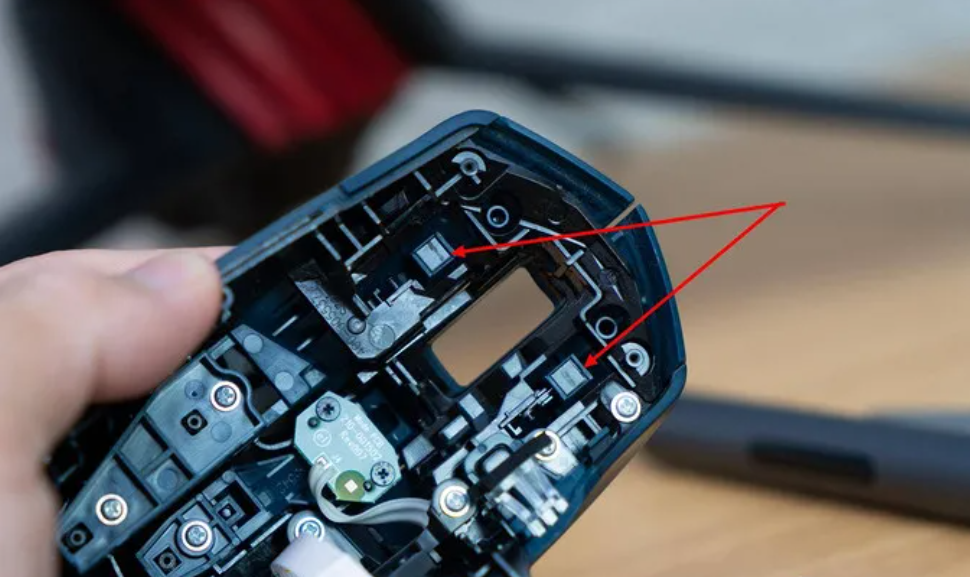
Arrow points to where mouse button connects with micro switch
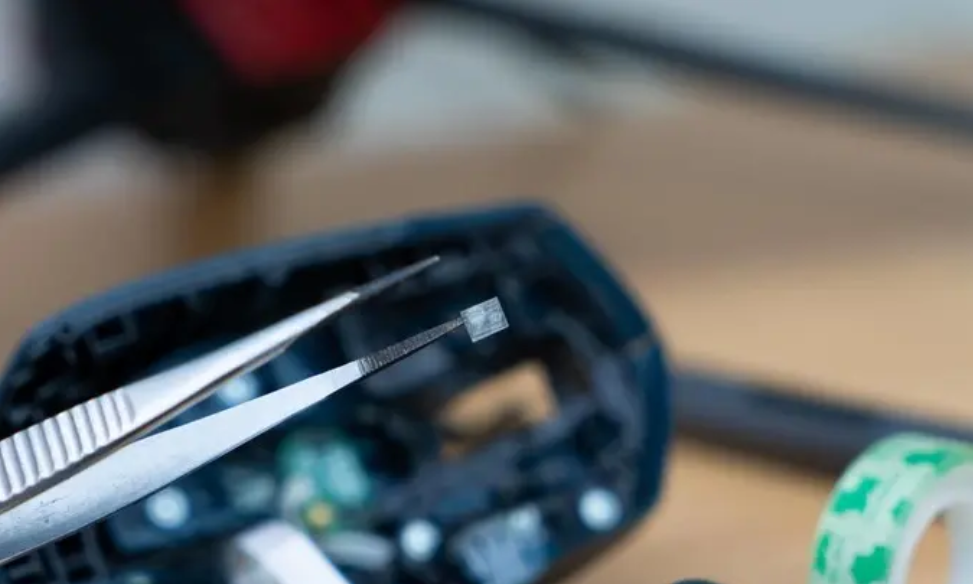
Cut transparent tape to consistent size
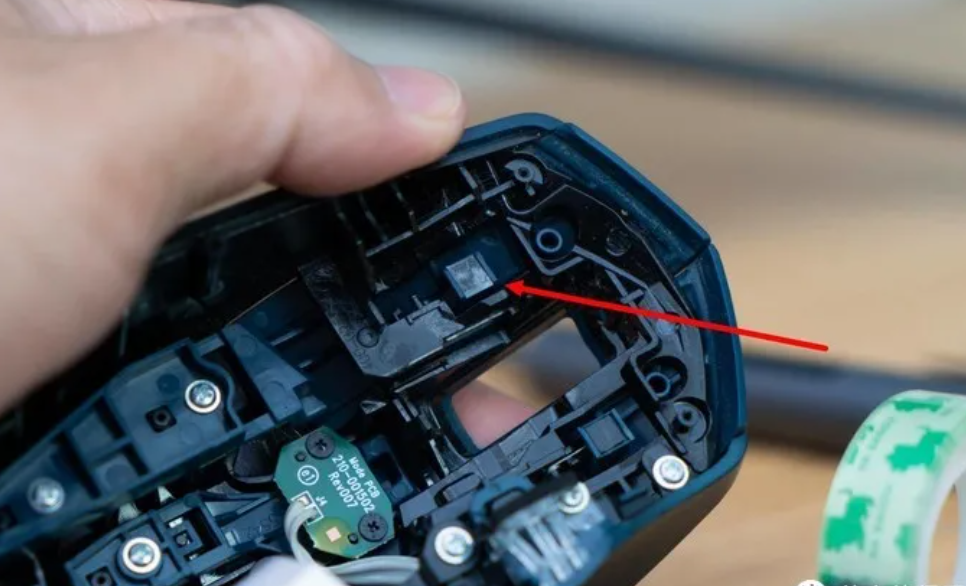
Stick transparent tape to where mouse button connects with micro switch. If improved but not completely, add another layer.