VAT Invoice Software (Tax UKey Version) Cannot Run in Virtual Machine
The VAT Invoice Software (Tax UKey Version) cannot run in VMware virtual machine, showing the message “This application cannot run in virtual machine”.
Many solutions found online didn’t work. Most involve modifying the .vmx file and adding some code, but none could bypass the virtualization detection to run the VAT Invoice Software (Tax UKey Version).
Later, while preparing to switch to QEMU/KVM, inspired by a Bilibili UP, I discovered that simply enabling Hyper-V feature in the virtual machine allows the VAT Invoice Software (Tax UKey Version) to run normally in QEMU/KVM, VMware and other virtual environments.
Although it runs successfully, please use it quietly to avoid the official developers adding more anti-virtualization detection conditions. I also suggest the officials remove the virtualization detection feature. They don’t release Mac or Linux versions, and when we try to use it in a VM ourselves, it’s blocked. There’s absolutely no need to prohibit this software from running in a VM!

VAT Invoice Software (Tax UKey Version) Cannot Run in VMware VM - This application cannot run in virtual machine
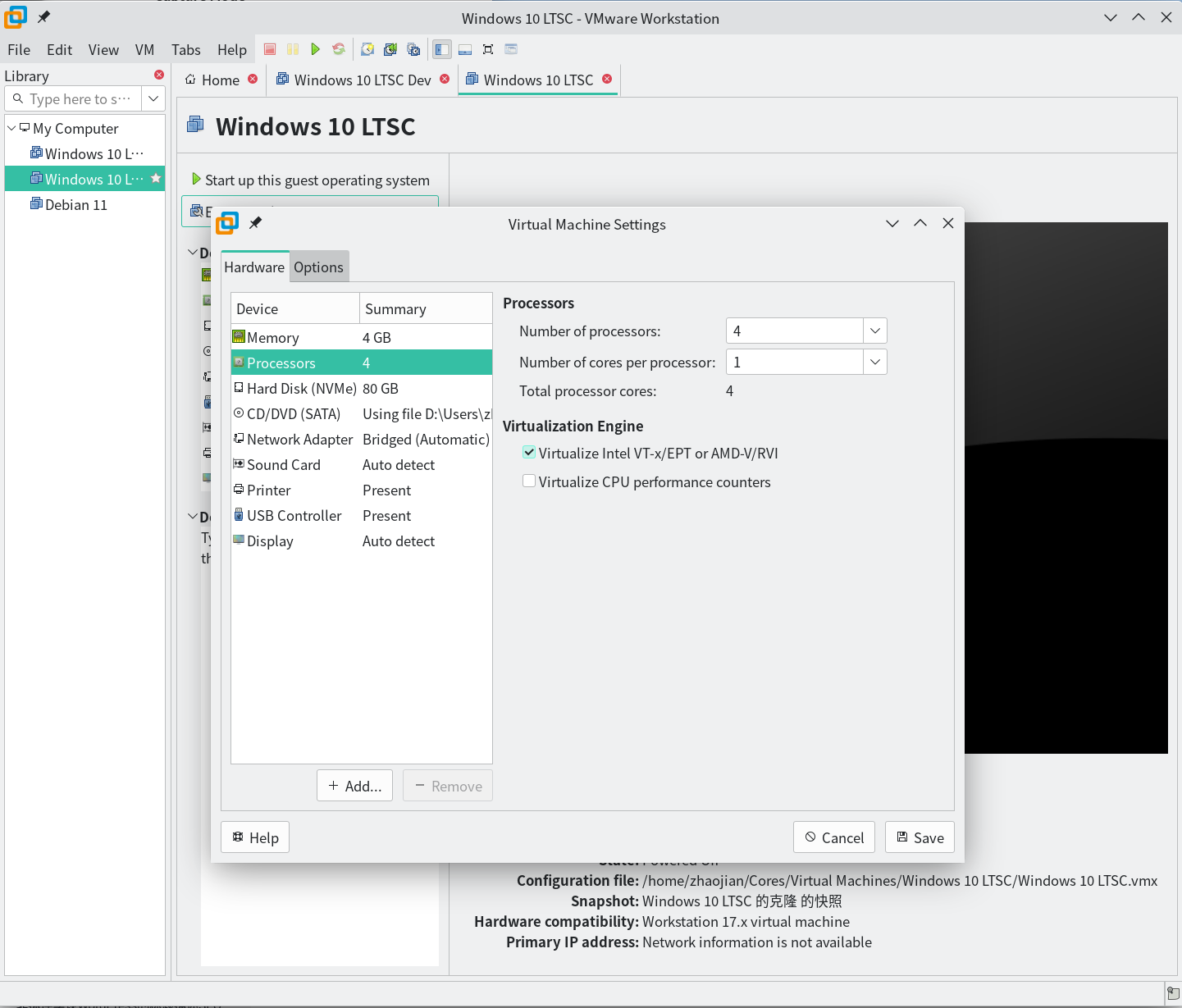
Enable Virtualization Support in VMware VM
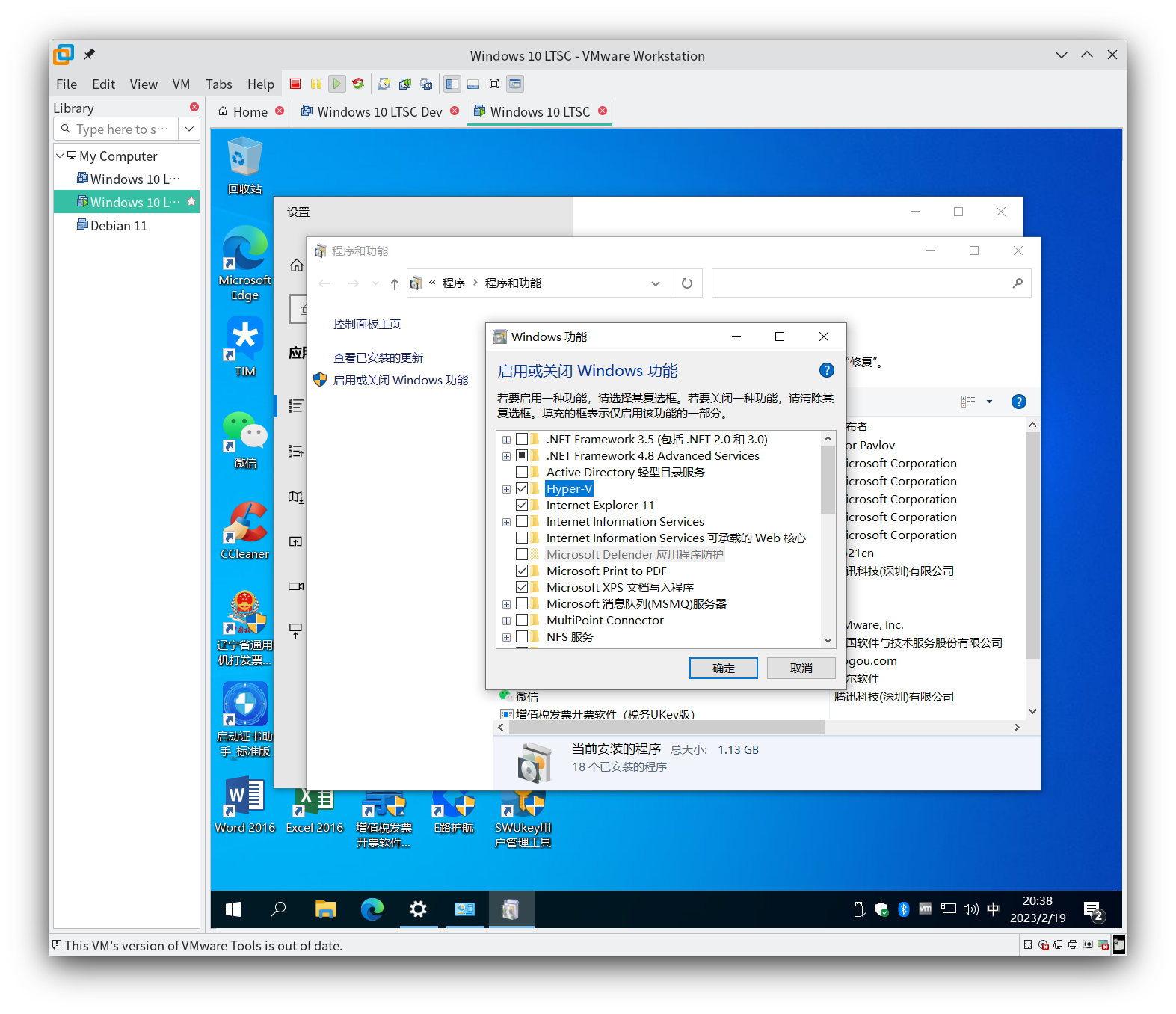
Enable Hyper-V Feature in VMware VM
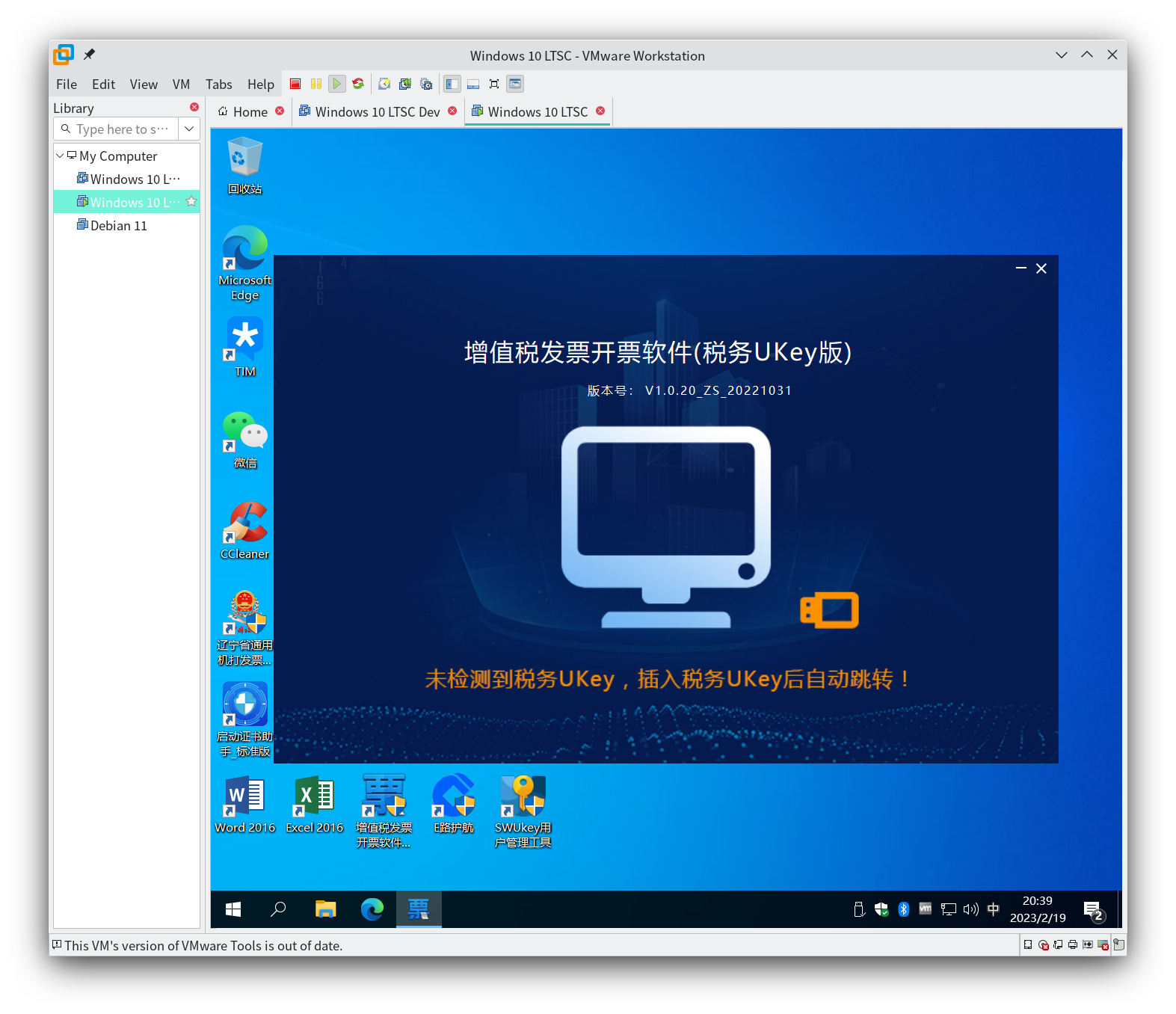
VAT Invoice Software (Tax UKey Version) Successfully Running in VMware VM
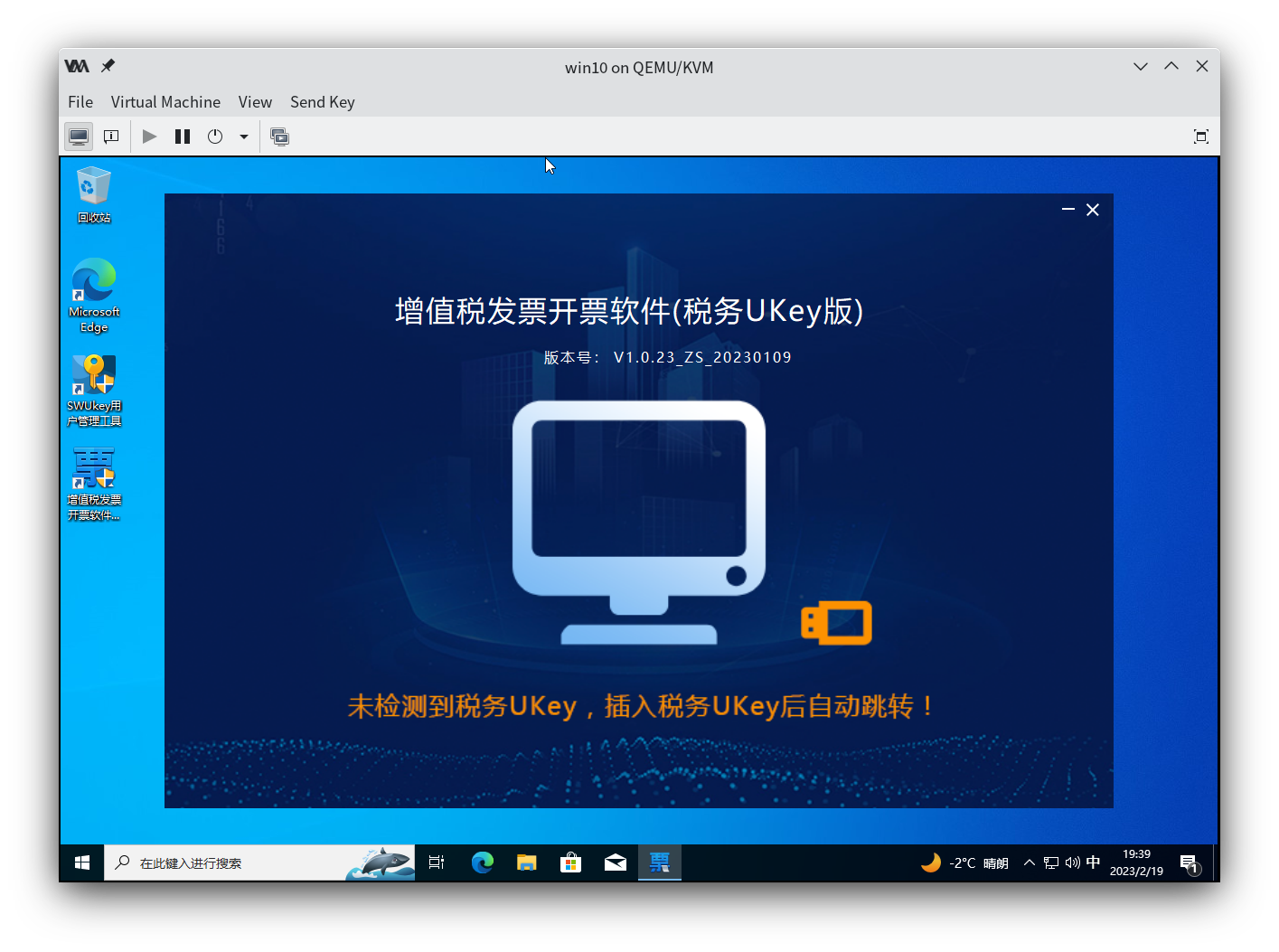
VAT Invoice Software (Tax UKey Version) Successfully Running in QEMU/KVM VM