Eliminating the Flickering White Line at the Top of MacOS Screen
Recently I noticed a white line flickering at the top of my MacOS screen. I couldn’t find any solution online. In my case, when dragging a window, a white line would flicker on the right side of the top of the screen.
I found this article with a similar situation, but it didn’t solve my problem:
macOS 26.2 graphical bug: thin white line at top of screen
Most solutions suggest:
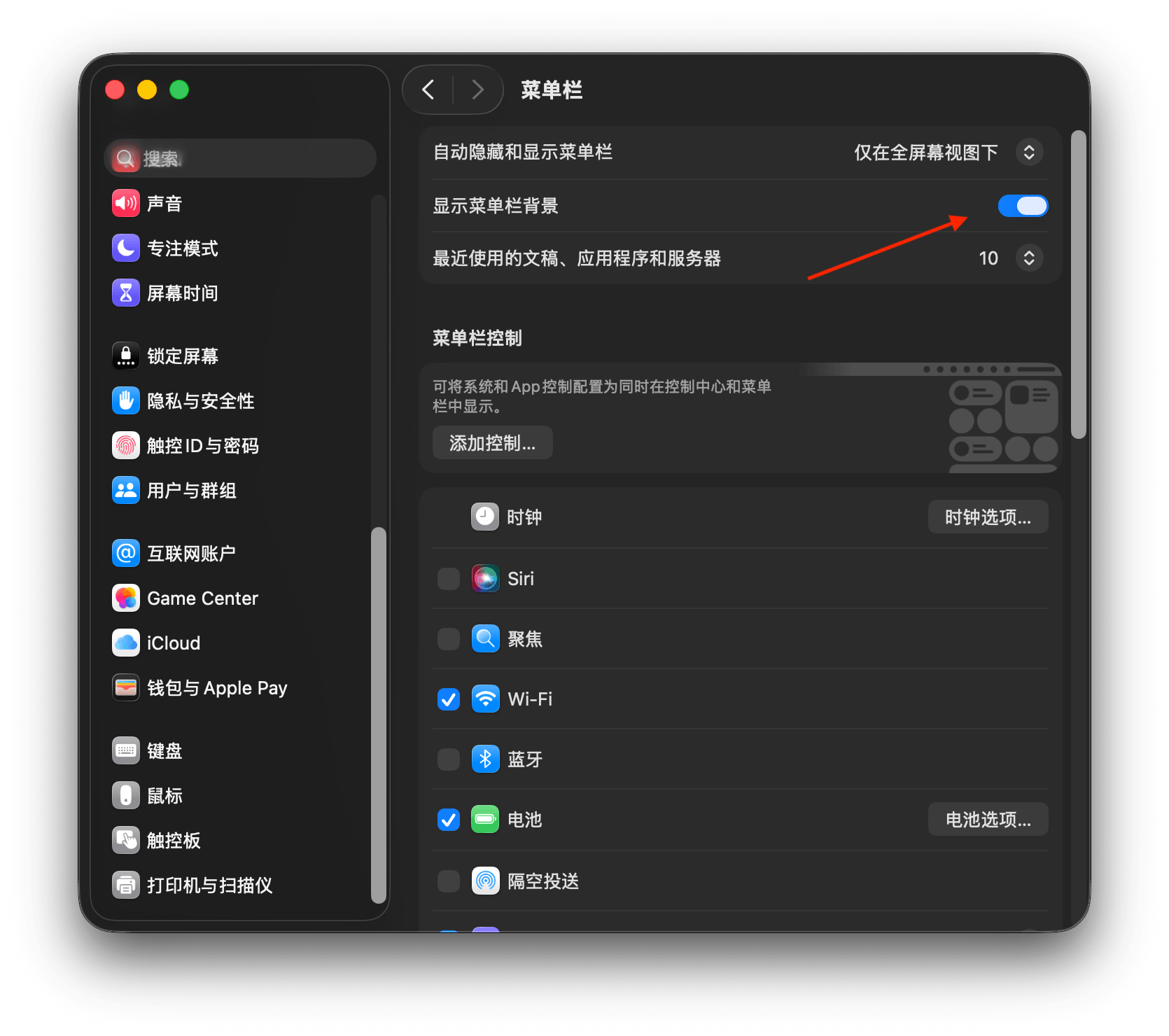
Going to [System Settings] > [Menu Bar] and enabling [Show menu bar background] did eliminate the white line, but I don’t want to show the menu bar background! 😂
Previously on Windows, I encountered a similar shadow issue, which turned out to be caused by a maximized window shadow on an external monitor. So this time I focused on troubleshooting the desktop and external monitor one by one.
Finally, I completely solved this issue by removing virtual desktops.
Method:

Swipe with three fingers on the trackpad to bring up the virtual desktop options. Long press the left mouse button until the “x” appears on other desktops, then click to delete the other virtual desktops, keeping only one. In my case, there was a virtual desktop for an external monitor above - deleting it solved the problem.