Linux Pinyin Input Method Dictionary Causing Abnormal Memory Usage in fcitx5
This time on Debian 12 testing, I didn’t install fcitx5-rime and directly used the system’s built-in fcitx5-chinese-addons which covers Wubi, Pinyin, Shuangpin, Ziran code and other input methods. It can use cloud pinyin and directly use Sogou official pinyin dictionary. However, during use I found fcitx5 had abnormal memory usage.
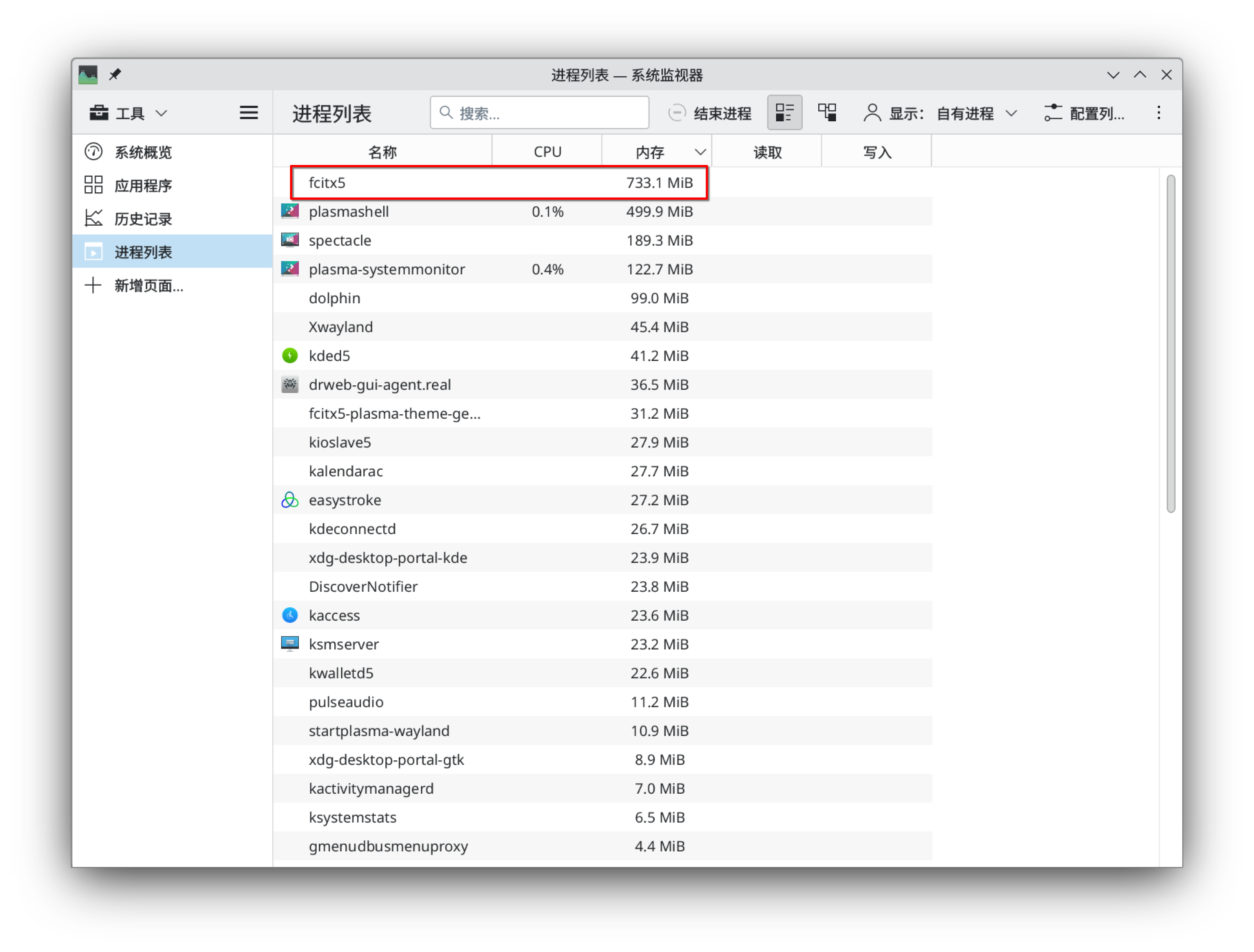
After investigation, I found it was caused by using the fcitx5-pinyin-zhwiki dictionary. fcitx5-pinyin-zhwiki is created based on Chinese Wikipedia, with a very large dictionary size. fcitx5 loads the dictionary directly into memory, so using fcitx5-pinyin-zhwiki invisibly increased memory by over 600M.
Since I don’t have scenarios requiring continuous typing input, using only the Sogou dictionary is sufficient, so I decided to temporarily delete the fcitx5-pinyin-zhwiki dictionary. After restarting the input method, memory returned to near initial state.

Additionally, some users encountered another situation with fcitx5 memory abnormality: after enabling cloud pinyin, the default Google backend service was inaccessible, causing memory increase. Simply changing the cloud pinyin backend service to Baidu can solve this.
