IT Course HTML Basics 016_Semantic Elements
Semantic Elements
HTML5 introduces many semantic elements whose purpose is to improve the semantics of document structure, making documents more readable, maintainable, and friendlier for both search engines and developers.
A page structure typically includes: header, footer, title, navigation, content, sidebar, etc.
Designing Page Layout Using <div> Elements:
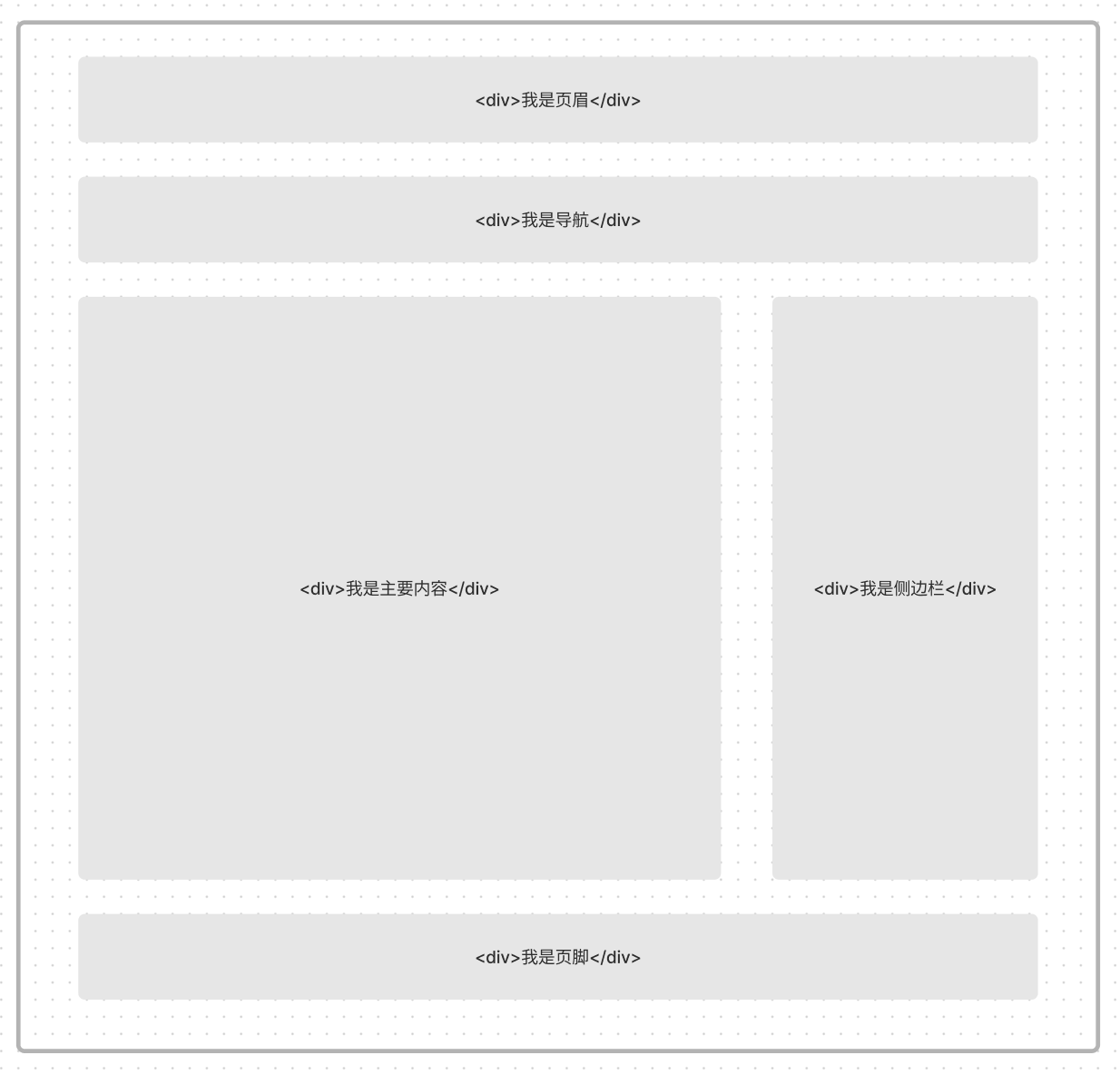
[!Summary]
- Not conducive for developers to write code. When you face a screen full of
<div>elements, it’s difficult to quickly distinguish their meanings.- Not conducive for SEO (Search Engine Optimization). The browser only knows you used
<div>elements, and thedivelement itself has no meaning - it’s just a container.
Designing Page Layout Using Semantic Elements:
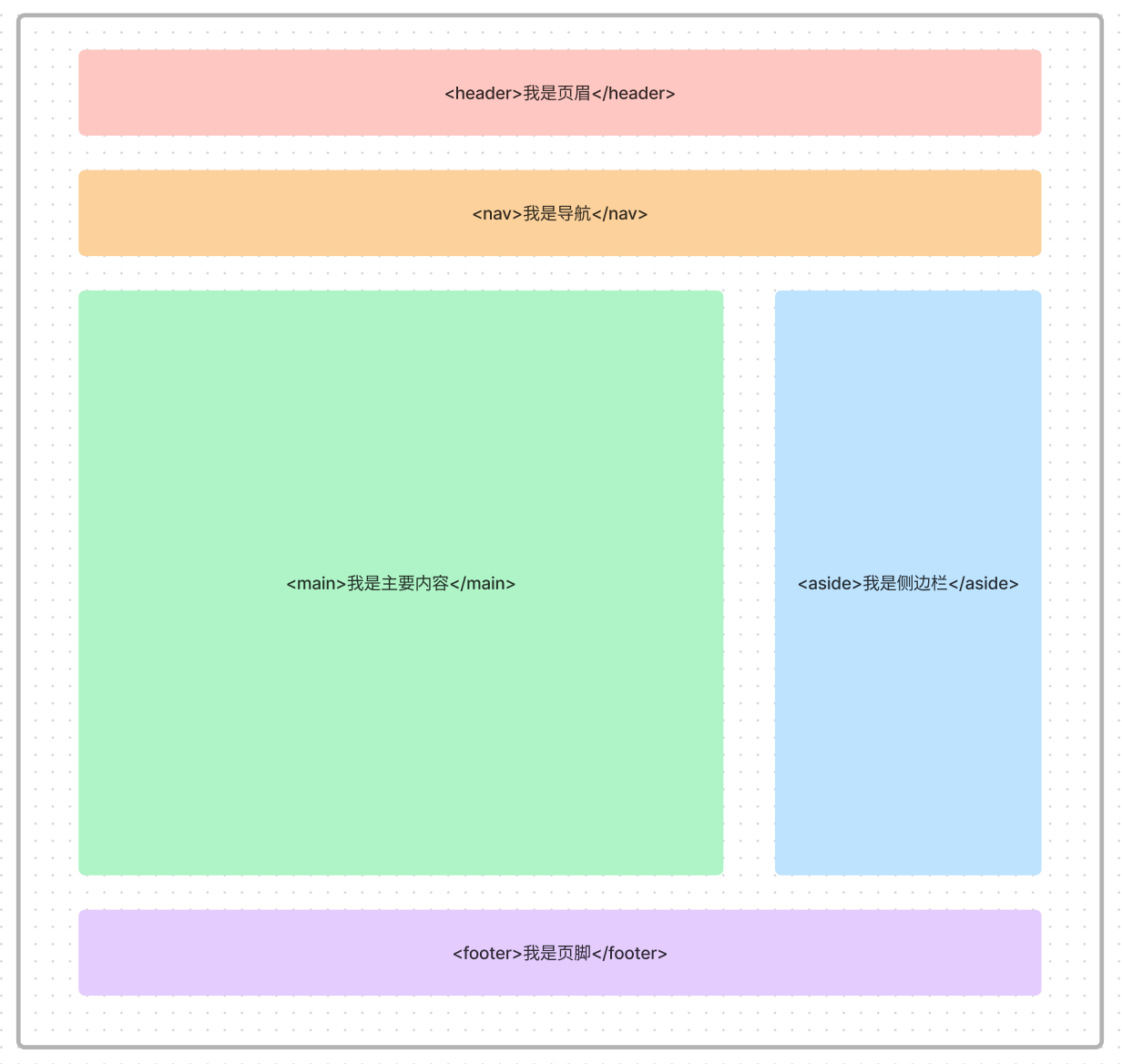
Using <header> <nav> <main> <aside> <footer> to represent different areas of the page. These tags give the page good semantics and structure, making it easy for both developers and browsers to quickly understand the web content.
| Element | Purpose |
|---|---|
<header> | Used to define the header area of a page, typically including website logo, main navigation, site-wide links, and search box. |
<nav> | Used to define the navigation links section of a page. |
<main> | Used to define the main content or primary functionality of a page. This content should be unique to the page. |
<aside> | Used to define sidebar content of a page. This content is related to the main content but optional. |
<footer> | Used to define the footer area of a page, typically including copyright information, contact information, and other related information. |
<article> | Used to define independent articles, documents, pages, applications, or other content areas. |
<section> | Used to define a generic independent section in a webpage, usually containing a heading or paragraph/block. |
<figure> | Used to define independent images, charts, photos, and other content. |
<figcaption> | Used to provide a title or description for <figure> elements. |
Example:
<!DOCTYPE html><html lang="en"><head> <title>My Webpage</title></head><body> <header> <h1>My Webpage</h1> </header>
<nav> <ul> <li><a href="#">Home</a></li> <li><a href="#">About Me</a></li> <li><a href="#">Contact Me</a></li> </ul> </nav>
<main> <article> <h2>My Introduction</h2> <p>My name is XXX, this is an example of semantic elements.</p> </article> </main>
<aside> <h2>Related Links</h2> <ul> <li><a href="#">My Blog</a></li> <li><a href="#">My GitHub Page</a></li> </ul> </aside>
<footer> <p>Copyright 2023 XXX</p> </footer></body></html>Effect:
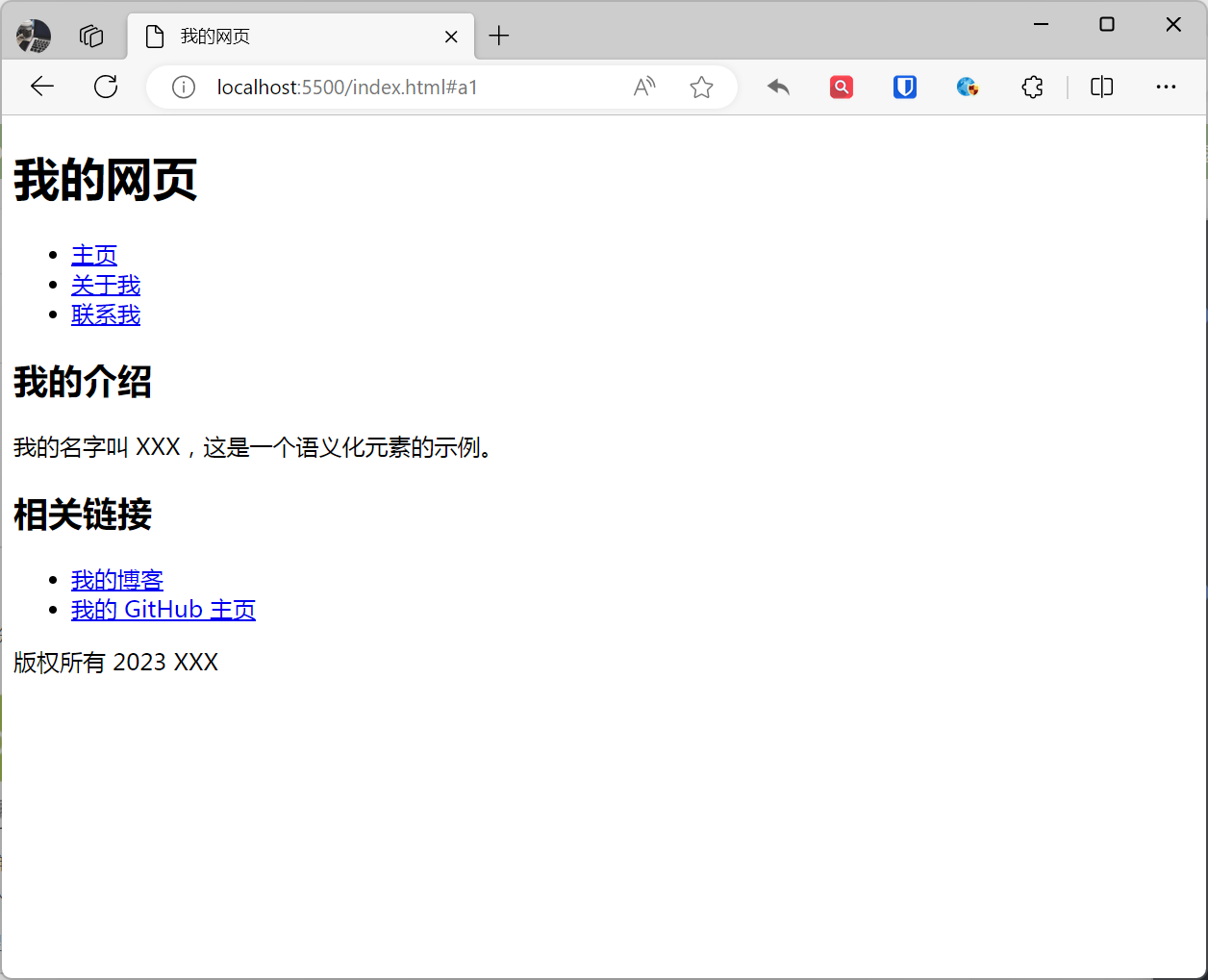
This example contains a webpage that uses HTML5 semantic elements to describe the meaning of web content.
- The
<header>element defines the header area of the page, containing the website logo and main navigation. - The
<nav>element defines the navigation links section of the page. - The
<main>element defines the main content of the page, containing my introduction article. - The
<aside>element defines the sidebar content of the page, containing related links. - The
<footer>element defines the footer area of the page, containing copyright information.
[!Summary]
- Search engines can better understand web content, improving the page’s ranking in search results.
- Can help people with disabilities more easily understand web content, improving web accessibility.
- Can help developers better organize webpage structure, improving web maintainability.