Hexo Next - Fix umami Running on Railway Deployment Failure, Not Displaying, Bypass Ad Blockers, Your project has no deploys
Hexo Next - Fix umami Running on Railway Deployment Failure, Not Displaying, Bypass Ad Blockers, Your project has no deploys
Recently switched my blog from WordPress to Hexo. I’ve switched back and forth a few times before. After not updating for a while, I found WordPress to be too bloated. Although it has many excellent plugins, opening each plugin now feels like watching advertisements.
After migrating to Hexo, I wanted to track website traffic. I had been using Baidu, but found many strange issues affecting data analysis. After comprehensive comparison, I chose umami. Umami is a simple, self-hosted open-source website traffic analytics tool. Umami doesn’t use cookies, doesn’t track users, all collected data is anonymized, complies with GDPR policy, has low resource usage, and although the features are simple, the analysis data is very rich.
When deploying umami on Railway, I encountered problems - it couldn’t complete automatically, deployment failed, and the official documentation mentioned “Your project has no deploys” requiring manual deployment. Too troublesome. After several attempts, I found the cause might be authorization mismatch when connecting to the GitHub project during deployment.
Specific steps:
- Click on the project, Setting >> General >> Source Repo, click X to cancel the existing project authorization connection.
- Re-authorize and select the project you previously created on GitHub.
- Redeploy.

After successful deployment, I found umami data wasn’t displaying. Later discovered it was blocked by ad filtering plugins. Method to bypass ad blocking:
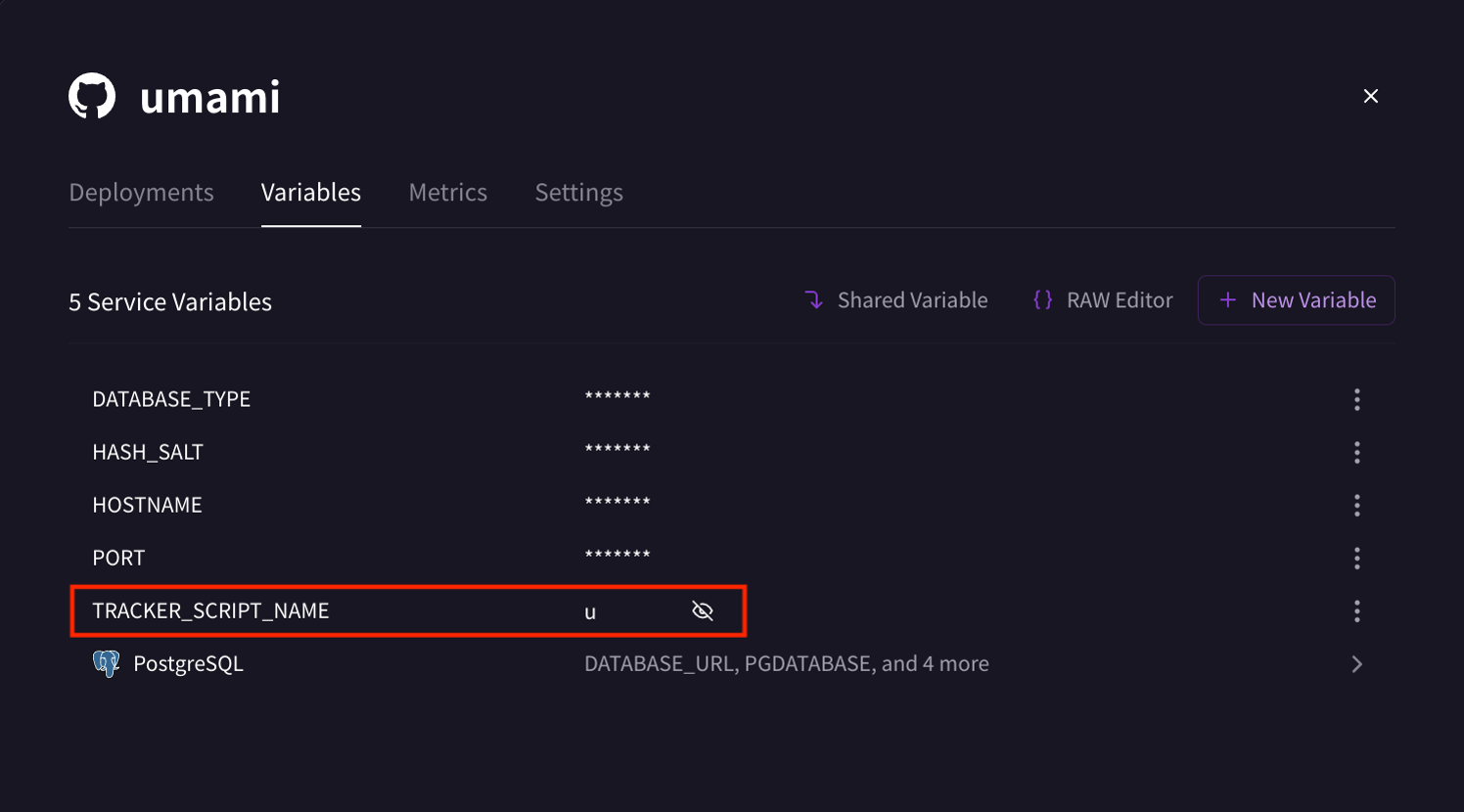
- Click on the project, Variables
- Click New Variable in the top right corner
- Add a new field named TRACKER_SCRIPT_NAME with a custom value, for example: u
- After redeploying, it will take effect.